You’ll get better catamaran footage if you treat your GoPro kit like deck gear, small, secure, and ready for spray. A HERO11 or 12 up high and a Mini tucked near the tramp or stern can catch the hiss of wake, the snap of sails, and those low horizon lines that make fast water look even faster. Add simple mounts, backup cards, and tiny tethers, and suddenly your best angle might come from the spot you almost missed.
Key Takeaways
- Choose a compact HERO11 Black Mini for tight mounts, a HERO12 Black for versatile angles, or a GoPro MAX for immersive deck-wide footage.
- Mount cameras low, secure, and near the centerline using rail clamps, suction mounts, or curved adhesives to preserve balance and reduce vibration.
- Always tether every camera and mount with 2 mm dyneema to a strong deck fitting, and inspect lines and clips before sailing.
- Use 4K30 for everyday cruising, 4K60 or 120 for spray and maneuvers, and enable HyperSmooth with Horizon Lock in chop.
- Lock exposure over bright water, keep ISO low, match anti-flicker to local 50Hz or 60Hz power, and wipe salt spray often.
Choose the Best GoPro for Cruising
The best GoPro for a catamaran cruise depends on where you’ll mount it and how you want the trip to look later. In tight spots, your GoPro HERO11 Black Mini works brilliantly. This action camera skips screens, stays compact, and survives 196 feet, so your GoPro camera fits snug nooks. For richer color, a front of the camera display, and flexible aspect ratio options, choose the GoPro HERO12 Black.
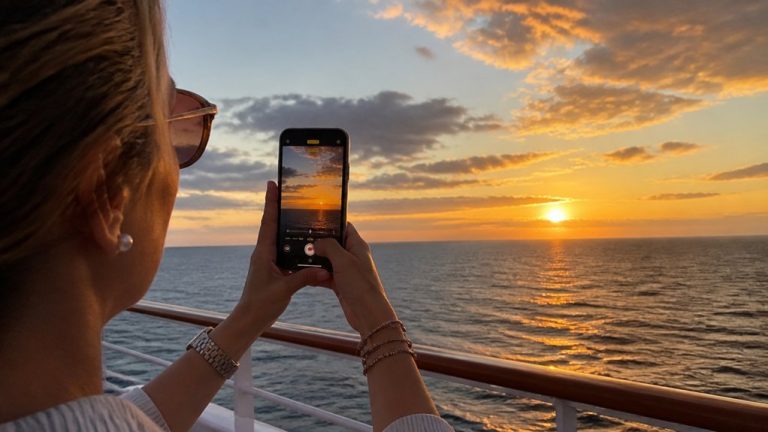
If you want immersive GoPro action, the GoPro MAX captures sweeping decks, spray, and sky with a huge field of view. HyperSmooth keeps high-quality video steady when chop rattles the hulls. For golden-hour sailing shots, use sunset cruise photos settings on your phone to complement your GoPro footage. When using GoPro, make sure your SD card and batteries match your plans. Various GoPro models suit different trips. Even a Curved Adhesive Mount mention can wait, while using GoPro wisely matters most.
Pick the Right GoPro Mounts
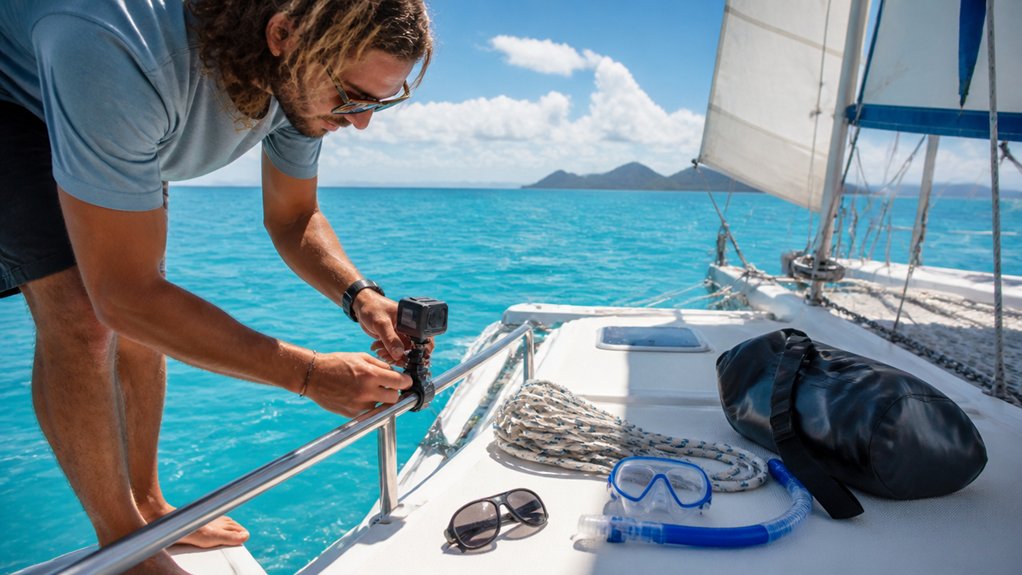
You’ll get better footage when you match each mount to the spot and lock it down like the wind has a personal grudge. Use curved adhesive mounts on the hull or mast for fixed shots, suction setups on smooth gelcoat at the bow or transom for more action, and rail or tube clamps on the handrail or tiller cross bar for steady horizon views with less spray. Whatever you choose, back it up with a dyneema safety tether, because the sea loves loose gear. For more dynamic catamaran footage, aim for best shots at the bow or stern where movement, wake, and sail action create more dramatic perspectives on the water.
Secure Mount Placement
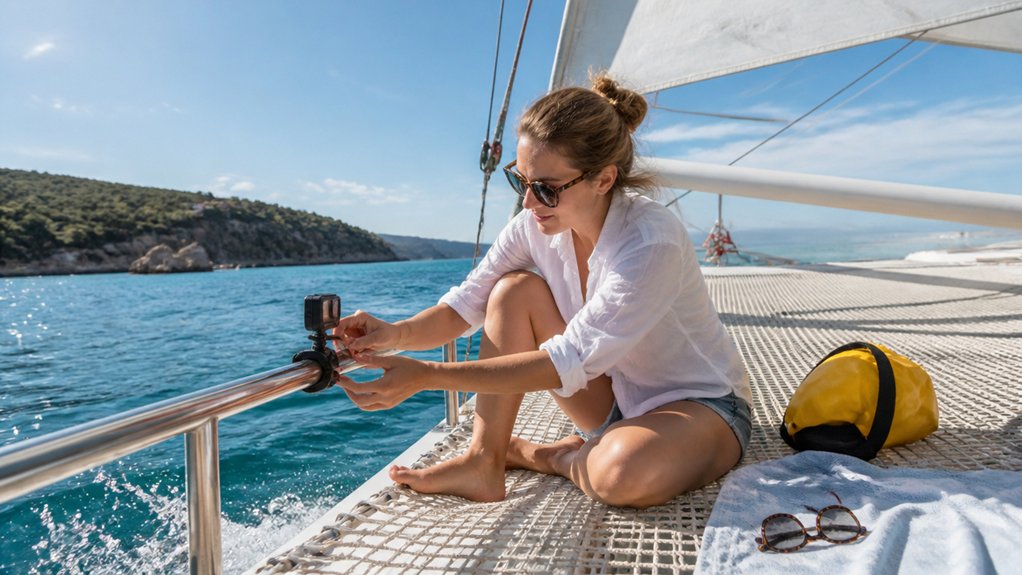
Mount choice can make the difference between a keeper clip and a tiny splash followed by regret. Place your GoPro where the surface stays clean, flat, and easy to inspect. On hulls or deck areas, press a curved adhesive mount firmly and back it up with a 2mm dyneema safety tether. For bow or stern angles, clip a secondary line from the mount to a rail or bridle so heavy chop doesn’t steal your shot. Shooting over the side? Add a float and short lanyard to your handheld rig. For low waterline views, tether any boom, pole, or gooseneck at its base. On trampolines, body mounts need a backup leash too, because acrobatics and saltwater love surprises more than you do out there daily. As part of catamaran safety, inspect every mount and tether before departure so loose gear does not become a hazard underway.
Best Mount Types
Once your backup tether is sorted, the fun part starts: picking the mount that matches the shot. You’ll use various mounts to shape the story.
| Mount | Best view | Note |
|---|---|---|
| Curved adhesive | Hull, mast skim | Add Dyneema tether |
| Suction plus pole | Bow or stern rush | Test wet gelcoat |
| Tube clamp | Rail, tiller, boom | Level horizon fast |
| Handler or chest | Crew splashes close | Shoot 60-120fps |
For higher angles, hoist the camera on a halyard or add a gooseneck boom extension. Clip a second tether, then lean on time-lapse or HyperSmooth. To get cleaner results in chop, focus on smooth video by bracing yourself and letting stabilization handle the smaller jolts. You’ll hear wake hiss, lines tap, and maybe one sailor say, “That’s too close,” right before your best shot. Floating grips also save swims when somebody fumbles during a tack, which is funny later, not immediately.
Secure Every GoPro With a Tether
Always rig a real safety tether on your GoPro before the catamaran leaves the mooring, because a thin factory lanyard won’t do much when spray starts flying and a clamp suddenly lets go. Use 2mm Dyneema or marine rope on the housing hinge or mount point, then clip or tie the other end to a strong deck fitting nearby so your camera stays with the boat. On hull, boom, or pole setups, run the tether through a drilled hole or strap and cinch it snug. For handheld shots, add a float grip, but don’t trust a float alone in choppy water. Before each outing, inspect knots, clips, and line for chafe or salt corrosion. Keep spare tether cord and clips in your dry kit. If you plan to film from the best seats on a catamaran cruise in Waikiki, double-check that each tether is short enough to prevent your GoPro from swinging into rails or netting.
Mount Cameras Without Hurting Balance
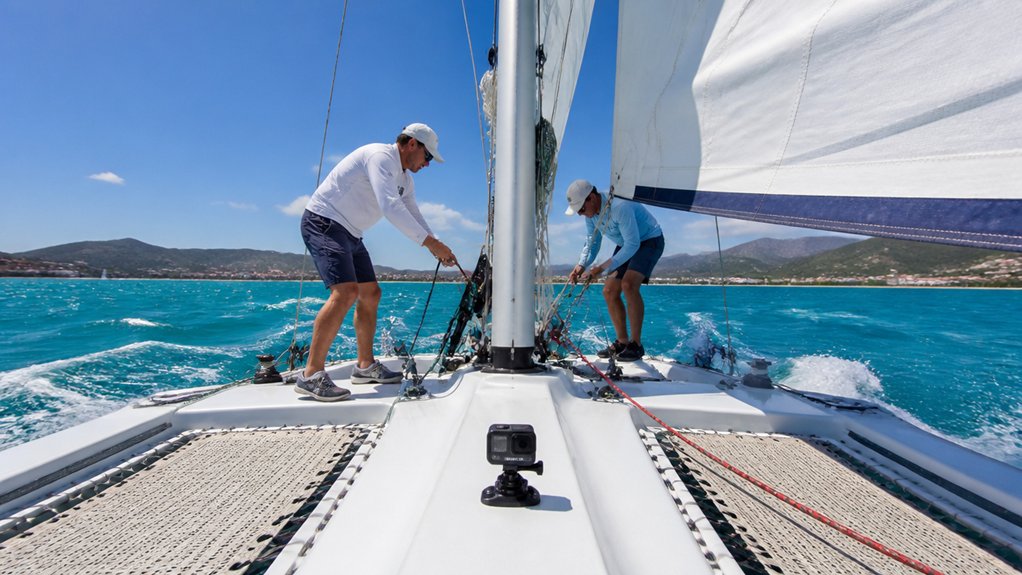
Think low and tight when you place a GoPro on a catamaran, because even a small camera can change the feel of a light boat when it’s stuck high or far forward. In Waikiki, a catamaran cruise is often fairly smooth in calm weather, but ocean chop can still make elevated mounts shake more than low, secure placements.
- Use low-profile curved adhesive, tube, suction, or clamp mounts near the hull, rail, stern, or handrails. You keep weight close to the centerline, so the boat stays lively in action.
- Skip long boom extensions. If you mount on a tiller, crossbar, or boom, keep aluminium tube or PVC arms around 30 to 40 cm and add a dyneema safety line.
- Spread several small cameras around the boat instead of one bulky forward rig. Leave spare batteries ashore, and avoid masthead loads unless you’re using a tiny waterproof Mini camera.
Plan Your Catamaran Camera Angles
With your mounts kept low and tidy, you can start choosing angles that show what a catamaran actually feels like under sail. Put one camera on the bowsprit or boom for a low, forward-facing view of the hulls slicing spray. Move another to the transom or stern rail when you want wakes, towlines, and fast downwind energy.
For intimate sailing moments, strap a GoPro to the bowman’s chest or helmet during sail changes. Hoist one in a housing toward the masthead for a high, weather-wise look at course shifts and cloud texture. A boom arm or handrail mount gives you steady wide shots of decks, sea, and crew rhythm. Use a safety tether everywhere. Saltwater loves practical jokes, and gravity usually joins in. Since many boats include onboard bathrooms, you can also plan quick interior cutaways that show comfort below deck between action shots.
Set GoPro Resolution and Frame Rate
Dial in your settings before the boat starts moving, and your edit will look a lot calmer later. For everyday cruising, use camera settings that favor 4K at 30fps. You’ll get crisp water, sails, and shoreline detail without filling every card by lunch.
- Pick 4K30 for normal scenes and a cinematic pace around deck.
- Switch to 4K120, 2.7K120, or 5.3K60 on HERO11/12 when you want slow motion for sail trims, spray, and wave hits.
- Lock exposure, then set ISO min 100 and max 400 in bright or cloudy light. Push max ISO to 1600 near sunset.
Higher frame rates suit fast, close shots. Lower rates, around 24 to 30fps, keep standard-speed footage natural and easy to cut when the wake starts hissing beside you. If this is your first time filming on an Oahu catamaran cruise, these settings make it easier to capture steady, beginner-friendly footage without constant adjustments.
Use GoPro Stabilization in Chop
When the catamaran starts slapping through chop, turn on HyperSmooth so your footage doesn’t roll and pitch like a lost flip-flop. Add Horizon Lock and you’ll keep the sea line steady even when the boat bucks hard and you swing the camera fast. You’ll get cleaner clips right away, and your viewers can watch the action instead of feeling every wave in their teeth. If you’re prone to motion sickness, steadier footage can also make reviewing your clips after a Waikiki catamaran cruise a lot more comfortable.
Enable HyperSmooth Modes
Even if the deck is thumping through chop and the bows keep tossing spray, you can make your footage look calm by turning on HyperSmooth. On a catamaran, that setting tames the jitter from slaps, turns, and quick pitch, so your clips feel watchable, not seasick. If you’re using a different camera in the lineup, check which HyperSmooth version it offers and build settings around it. On a Waikiki catamaran cruise, expect trade-wind chop and occasional spray, which makes stabilization even more useful for smoother clips.
- Shoot at 60fps or 120fps with stabilization on for cleaner slow motion during tacks and splashy runs.
- Mount the GoPro on a solid rail, boom, or tube to give HyperSmooth less chaos to correct.
- In rougher water, pick Wide and a 16:9 or 8:7 crop to keep more scene and reduce ugly digital artifacts.
Lock Horizon In Chop
Lean into GoPro’s stabilization tools and the sea suddenly looks a lot less unruly. In choppy water, switch on HyperSmooth and Horizon Lock for Horizon Assurance, especially on HERO11, HERO12, or Mini with HyperSmooth 5.0. Your clips stay level through sharp pitch, rolling wakes, and those surprise lurches that make coffee nervous.
Give the camera more room by shooting 8:7, then crop to 16:9 later so Horizon Lock can work without black edges. Use 60fps or 120fps for fast sails and slow motion, but pack spare batteries because stabilization eats power. Mount the camera on a firm rail or boom with a short extension, then add a safety tether. In bright glare, lock exposure and keep ISO around 100 to 400 for cleaner footage. If the forecast calls for hazardous seas Monday night into Tuesday, expect bigger rolls and stronger spray, so stabilization and secure mounting matter even more.
Lock Exposure on Bright Water
Often, the biggest problem on a catamaran isn’t the motion. It’s the water. Sunlit chop tricks your GoPro into pumping brightness up and down, so use Exposure Lockdown. On a HERO12, use the rear LCD. On other models, use Hold AE/AF on the touch screen after setting exposure.
On a catamaran, the real exposure problem isn’t motion. It’s bright water, so lock exposure before the chop starts.
- Dial exposure compensation to -0.3 to -1.0 EV over bright water, then lock it for steady clips.
- In Auto ISO, cap ISO max at 400, or 100 to 200 in hard sun, to keep grain low.
- Match a faster shutter to the ride, like 1/120s at 60fps. If you add an ND filter, set exposure first, then lock it. Your footage stays calm even when the deck creaks and the sea flashes white.
For a catamaran cruise in Waikiki, these settings help you handle the same bright-water glare that often makes it hard to capture clean footage.
Set Anti-Flicker for Local Power
Before you film under cabin lights, dock lamps, or a marina shower block, set your GoPro Anti-Flicker to match the local power frequency. You’ll want 50Hz in Europe and other 50Hz regions, and 60Hz in North America, so your footage stays clean instead of filling with annoying light bands. It’s a small switch, but it can save your night clips from that odd striped shimmer no sailor wants to meet twice. Following basic onboard guidelines also helps you film respectfully around other guests during evening marina stops.
Match Local Frequency
On a catamaran cruise, one small camera setting can save you from ugly rolling bars in an otherwise beautiful cabin shot. Match your GoPro’s Anti-Flicker to local power for better mains compatibility and cleaner indoor clips.
- Use 50Hz in Europe, Australia, and other 50Hz regions before filming saloon dinners, marinas, or ferry terminals.
- Switch to 60Hz in North America, parts of Japan, and other 60Hz places if you want compatible frame rates like 60fps.
- If your route hops countries, change the setting before shooting below deck or near bright displays. Auto can help, but manual selection is usually safer, especially for time-lapse and high-frame-rate footage. Change continents, change frequency. Cabin lights may hum softly, but your footage will look steady and ready to share.
For Hawaii sailings, NOAA weather audio from station KBA99 is available on 162.550 and 162.400 MHz for onboard forecast monitoring.
Reduce Light Banding
Cabin footage can look calm to your eye yet pick up ugly light banding once your GoPro starts recording, so set Anti-Flicker to match the local power before you shoot. Use 50Hz in Europe, Australia, and other 50Hz regions. Switch to 60Hz in the Americas so you can keep cabin clips and still access higher frame rates like 120fps.
For mixed light, with warm cabin lamps and sun bouncing off the water, choose Auto if your GoPro offers it. If not, lock to the local standard for flicker prevention. This matters just as much on an accessible catamaran cruise in Oahu if you move between shaded cabin areas and bright open decks. Check your frame rate too. Pair 25 or 50fps with 50Hz, and 30 or 60fps with 60Hz. When your cruise hops regions, change the setting before filming, or you’ll be grumbling at stripes in post.
Keep Salt Spray Off the Lens
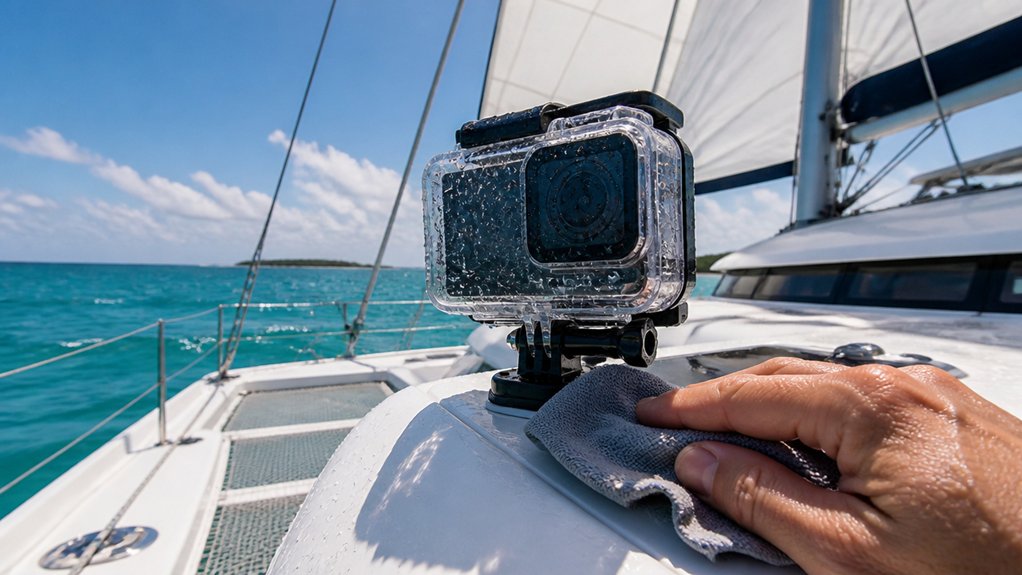
Often, the best catamaran footage gets ruined by one tiny thing: a salty drop clinging to the lens like it paid for the seat. Good Lens Maintenance keeps your clips crisp. After any spray, wipe the lens with a microfiber cloth and stash one in a dry pocket or Pelican case. On a Waikiki catamaran cruise, lightweight clothes with secure pockets can make it easier to carry a microfiber cloth and keep it handy between wipes.
- Add a hydrophobic lens cover or floating back panel so chop sheds water instead of decorating your shot.
- Mount the GoPro a little higher or behind a splash shield, then use a safety tether so you can unclip it fast for cleaning.
- After heavy exposure, stop when it’s safe, rinse with fresh water, dry the lens, and swap to a spare cover or dive housing before salt leaves a hazy crust overnight.
Manage GoPro Batteries and Cards
Packing for a long tack, treat batteries and cards like part of your camera kit, not an afterthought. Bring at least one spare battery per GoPro, and two if you plan long shooting days. High resolution, high frame rates, cold air, and constant clips drain power fast. Keep spares warm and dry in an inner pocket or insulated case so runtime doesn’t nosedive.
Practice Battery Rotation and carry several 64 to 128 GB microSD cards. 4K and 5K at 60 fps chew through space sometimes faster than lunch disappears on deck. Store batteries and empty formatted cards in a waterproof Pelican style case or foam organizer. Label each card. Fully charge everything before departure then use a multi USB charger or 12V adapter aboard. Since a Waikiki cruise may have a dress code, choose pockets or a small dry pouch that keeps spare batteries and cards secure without getting in the way.
Swap Cards and Back Up Fast
You’ll fill a 64GB or 128GB card faster than you think when the sea is flashing bright and the rigging keeps clacking overhead, so keep spare SD cards within easy reach. Swap cards every few hours or right after the best moments, then back up fast to a laptop, phone, or rugged SSD so you don’t lose a great clip to one bad card. Once you’ve switched, tuck used cards into a waterproof case and keep them separate from fresh ones, because salt spray loves chaos. Before you sail, scan the boat operator’s catamaran cruise FAQ for storage and device tips that can help you avoid preventable mishaps on the water.
Carry Spare SD Cards
A couple of spare SD cards can save the whole day when the wind picks up, the wake starts to glow, and your GoPro is still rolling in 4K. On a Waikiki catamaran cruise, you’ll often be shooting continuously through changing light and fast-moving action, so extra cards matter even more. You’ll want at least two 64 to 128 GB cards, with Card rotation keeping footage flowing and stress low.
- Label each card with a waterproof marker, then separate used and unused cards in waterproof pouches.
- Swap cards between takes. Put full ones in a padded, water resistant Pelican case, and keep one spare formatted in camera.
- Pack a card reader or USB-C adapter so you can offload clips during a shore stop and get back to the trampolines, spray, and sudden dolphin cameos without standing around wondering where your last sunset shot went.
Use Quick Backup Workflow
Keep the day moving by swapping cards before they hit the red zone, ideally when they’re about 80 percent full, so you don’t miss the next burst of spray or a sudden turn under bright sailcloth.
Carry several formatted cards, with a spare 64GB and 128GB if you can. If your operator shares check-in timing before a Waikiki catamaran cruise, use that window to label cards and stage your backup kit so you are not rushed at boarding. Pop in a preformatted card and a charged battery so you’re filming again in minutes. Then copy the full card to a laptop or portable SSD through a USB-3 reader. Verify the files with playback or checksum before you reuse anything. Store fresh and used cards in separate labeled slots and log each card’s times. Instant offload to your phone through GoPro Quik works for sharing when data cooperates, but keep full-resolution backups on storage.
Protect Files From Spray
Between gusts and spray, treat every calm patch as a chance to protect your footage. Your Sprayproof Protocols start with two formatted 64 to 128 GB cards. Swap in shelter, because 4K chews through space and frequent changes limit loss.
- Keep the camera in a waterproof housing, or trust the HERO11/12 Mini, and clip a 2 mm dyneema tether to the mount.
- After a soaking, pull the card fast, dry it, label the time block, and seal it in a padded Pelican case or waterproof pouch.
- Stash a microfiber towel and desiccant by the camera station. If Starlink or phone service appears, offload prized clips through Quik and send key files to the cloud before the next wet run. Salt is a sneaky stowaway.
Film Crew, Sails, and Wake Shots
When the catamaran starts to hum and the wake turns into two clean white ropes, you’ve got a perfect moment for action shots. Mount a HERO11 Black Mini or HERO12 Black on the windward stern rail with a Suction Cup Mount or Large Tube Mount. HyperSmooth 5.0 helps keep the horizon level while the hulls hiss and the wake fans out behind you.
For sail coverage, strap a HERO11 Mini to the bowman’s chest or clamp it to a boom or bar. You’ll catch close sail trim, spinnaker handling, and Crew choreography without getting in the way. Try a Boom plus Suction Mount or a boathook-mounted HERO12 beyond the rail, and always tether it with 2mm dyneema safety line. Bring batteries, cards, and microfiber towel.
Shoot Better Slow Motion and TimeWarp
Lean into speed, then stretch it. On a catamaran, slow motion turns a tack, a flying splash, or a snapping sheet into Cinematic compression you can feel. Shoot 120fps or 240fps, then play it back at 24 to 30fps. Use HyperSmooth with Horizon Lock and mount to a boom, chest harness, or transom suction cup so wind chop doesn’t jitter your frame.
Lean into catamaran speed, then slow it down. At 120 or 240fps, every tack, splash, and snap turns cinematic.
- In bright sun, keep ISO at 100, raise shutter speed to match your frame rate, and add an ND filter if highlights start to blow.
- Use TimeWarp at 1 to 5x underway, or 10 to 60 second photo intervals for long mast top views.
- Pack extra batteries and 64 to 128GB cards. Slow motion and long TimeWarp sessions eat both fast.
Build a Simple On-Board Filming Workflow
Before the sails fill and the deck starts hissing with spray, set up a simple filming routine you can actually keep up all day. Pre-plan key moments like the start, sail changes, and mark roundings, then grab only 10 to 30 seconds each. Use presets: 4K30 general, 4K60 slow motion, TimeWarp for passages, with HyperSmooth on.
| Moment | Setting | Habit |
|---|---|---|
| Start sequence | 4K30 | Short clip, swap battery |
| Passage stretch | TimeWarp | Check tether and card |
Carry two spare batteries, extra 64 to 128 GB cards, and solid mounts with a 2 mm dyneema safety tether. Evening offload. Label clips by event and time on Quik, your phone, or an SSD before sleep. That five-minute ritual saves edits later and keeps you from chasing chaos tomorrow morning.
Frequently Asked Questions
Can I Fly a Drone From a Catamaran During the Cruise?
Yes, you can fly a drone from a catamaran during your cruise if you launch safely, follow Drone etiquette, check local rules, keep clear deck space, watch GPS and batteries, and avoid low-battery water recoveries.
How Do I Prevent Gopro Overheating in Tropical Sun?
Keep your GoPro cool by using Shade Mounting, shortening clips, lowering resolution, and turning off Wi‑Fi and screens. You should store it shaded, swap cooled batteries often, and avoid enclosed housings so breeze reaches it.
What Camera Insurance Covers Accidental Loss at Sea?
Marine coverage, travel add-ons, or gadget policies may cover accidental loss at sea if they explicitly include loss overboard. You’ll need secure mounting proof, watch limits and deductibles, and check negligence, territorial, and water exclusions.
Can I Film Other Passengers Without Asking Permission?
No, you shouldn’t film other passengers without asking first. You need Privacy consent to respect expectations and avoid disputes. If you’ll share footage publicly, get written permission, and stop or delete clips if someone objects immediately.
How Should I Store My Gopro Between Sailing Days?
Store your GoPro in dry storage: remove the battery and SD card, rinse and dry everything, air the housing open, then keep camera, spares, and tethered mounts in a ventilated case with silica overnight packets.
Conclusion
With a few small GoPros, solid mounts, and simple habits, you’ll come home with more than random clips. You’ll catch the slap of spray on the hull, the snap of a sail, and that blue wake curling behind you like a ribbon. Keep cameras low, tethered, and ready. Swap cards before they’re full. Rinse the lenses. Back up every night. Then you can stop fussing with gear and let the catamaran show off a little.